
The native UXP color separation plugin for Photoshop.
Vector, bitmap, CMYK, and DTF — every separation mode, all natively inside Photoshop.
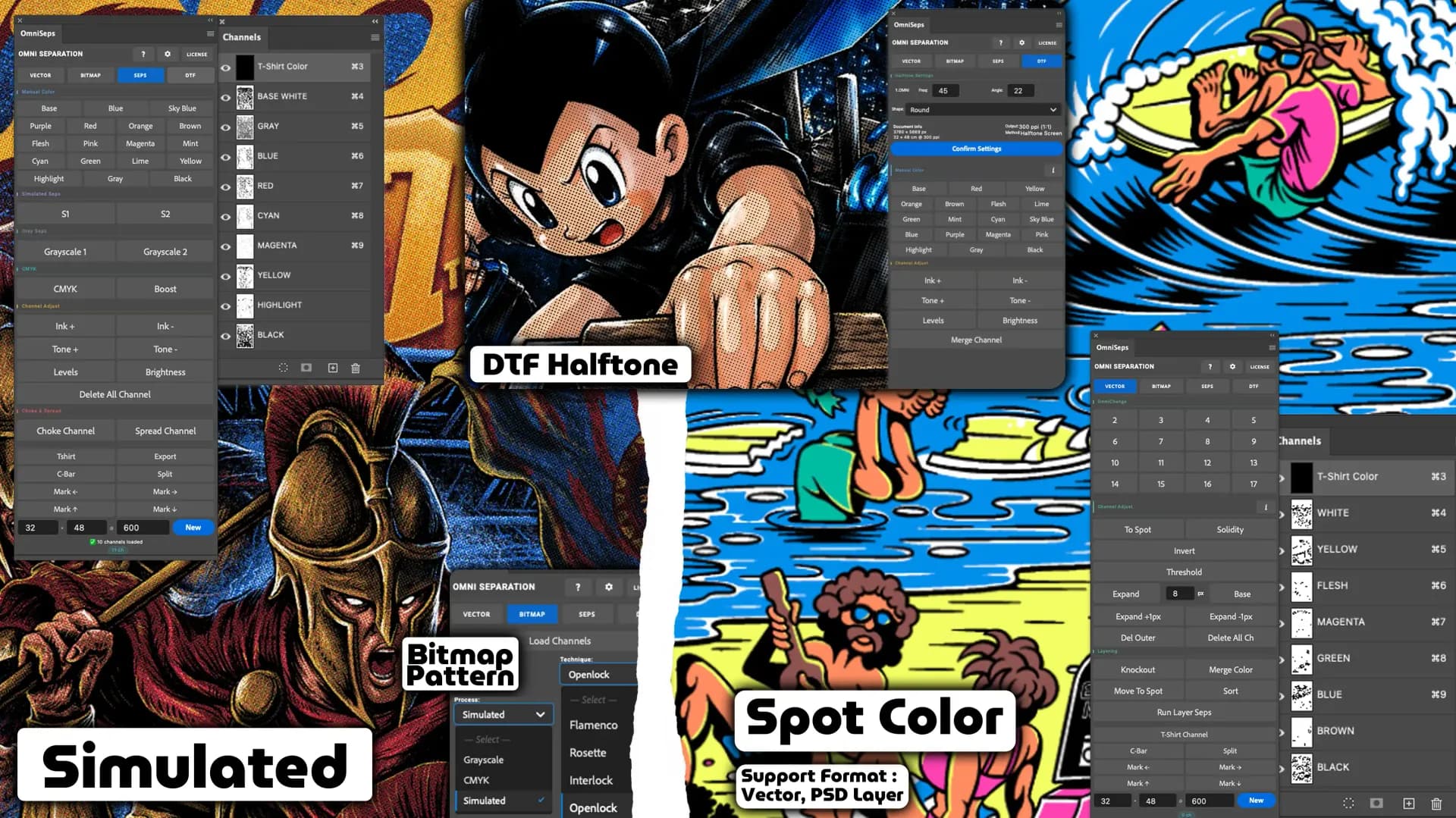
One plugin. Every separation workflow covered.
Vector, bitmap, multi-mode seps, and DTF halftone output — all in one license. No add-ons, no reinstalling.
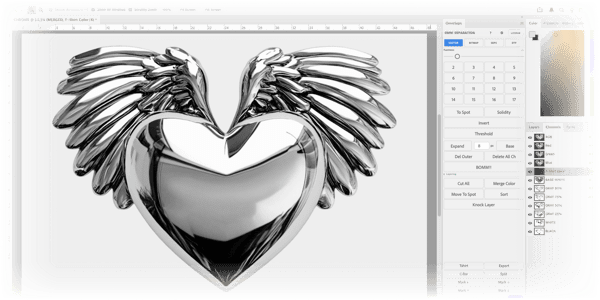
Every tool your print shop actually needs, in one place.
OmniSeps handles the full pre-press pipeline — from color separation to production-ready output. Built for screen printing, DTF, and DTG workflows where accuracy and consistency matter most.
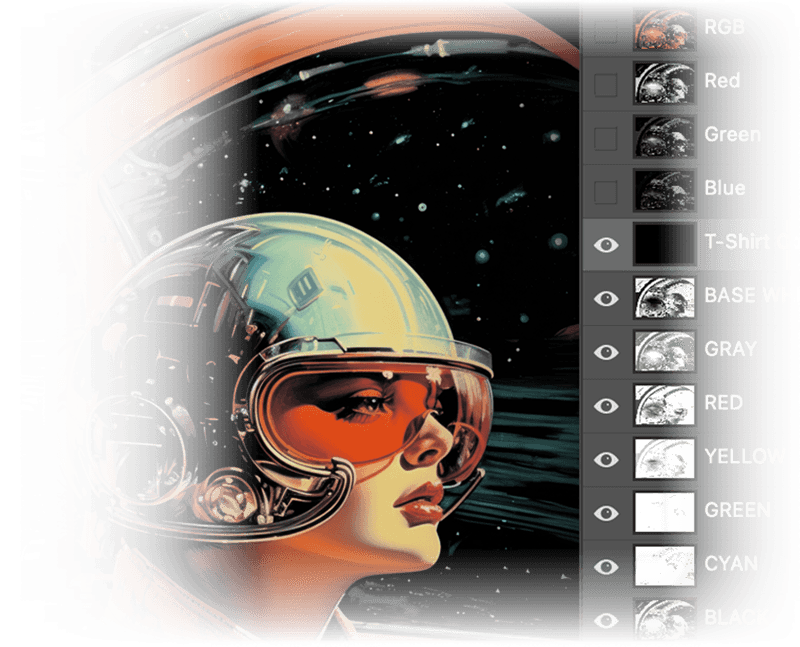

Auto Underbase
Automatically generate underbase layers based on your own size and opacity settings.
Color Bar Generator
Generate accurate Photoshop color bars from separated channels for production team reference.
Registration Marks
Auto-place registration marks or use your own custom mark for precise multi-layer alignment.
Knockout & Trapping
Each color layer is automatically knocked out with configurable trapping — preventing ink stacking while maintaining screen printing precision.
Custom Trapping Controls
Set your own expand, choke, and trapping values. OmniSeps applies them to every layer automatically.
OmniChange Integration
Pairs with OmniChange on Illustrator for a complete vector-to-print preparation ecosystem.
One price. Every feature.
Every plan includes the full OmniSeps ecosystem — no feature gating, no add-ons. Just pick how long you need it.
- OmniSeps for Photoshopcolor separation
- OmniChange for Illustratorrecolor & preprocessing
- OmniChange for CorelDRAWrecolor & preprocessing
- OmniJS Auto Layoutjersey production layout
- Unlimited vector spot color separation
- Bitmap halftone with custom frequency, angle & pattern
- CMYK, Grayscale & Simulated process separation
- Auto knockout, trapping, expand, choke & underbase
- Color bar generator from Photoshop channels
- Auto & custom registration marks
- Mixed artwork support
- Automatic updates, no reinstall required
- Artwork to DTF Halftone
- OmniSeps for Photoshopcolor separation
- OmniChange for Illustratorrecolor & preprocessing
- OmniChange for CorelDRAWrecolor & preprocessing
- OmniJS Auto Layoutjersey production layout
- Unlimited vector spot color separation
- Bitmap halftone with custom frequency, angle & pattern
- CMYK, Grayscale & Simulated process separation
- Auto knockout, trapping, expand, choke & underbase
- Color bar generator from Photoshop channels
- Auto & custom registration marks
- Mixed artwork support
- Automatic updates, no reinstall required
- Artwork to DTF Halftone
- OmniSeps for Photoshopcolor separation
- OmniChange for Illustratorrecolor & preprocessing
- OmniChange for CorelDRAWrecolor & preprocessing
- OmniJS Auto Layoutjersey production layout
- Unlimited vector spot color separation
- Bitmap halftone with custom frequency, angle & pattern
- CMYK, Grayscale & Simulated process separation
- Auto knockout, trapping, expand, choke & underbase
- Color bar generator from Photoshop channels
- Auto & custom registration marks
- Mixed artwork support
- Automatic updates, no reinstall required
- Artwork to DTF Halftone
Yes — every new account gets a full 15-day free trial with access to all features. No credit card required.
Every plan includes OmniSeps for Photoshop, OmniChange for Illustrator and CorelDRAW, and OmniJS Auto Layout.
OmniSeps updates automatically and can also be downloaded manually from your dashboard for major releases. OmniChange and OmniJS updates are installed manually from the Downloads page when a new version is available.
No. OmniChange for Illustrator is included in every plan. It works as one ecosystem with OmniSeps for complete vector-to-print preparation.
OmniSeps requires Adobe Photoshop 2023 and above. OmniChange supports Adobe Illustrator 2021 and above.
After purchase, you'll receive a license key via email. Open the plugin inside Photoshop, enter your key, and you're ready to go.
The plugin will stop working until you renew. Your settings and preferences are preserved — renew anytime and continue where you left off.
Open Billing and use Active Devices to deactivate the old device, then activate the same license key on the new one. If you cannot access the old device, reset its slot from the same dashboard before activating again.
Yes. OmniJS is included with every active OmniSeps license. It runs in CorelDRAW for jersey auto layout and can be downloaded from the Downloads page after your license is active.
